Case study · Ubiety · 2024
HomeAware security panel onboarding
Onboarding cut from 12 minutes to under 2, with no app to install.
Tap or click any image to see it larger.
12 → 2min
Average onboarding time
0
Extra apps to install
- My role
- Sole designer, end to end
- Worked with
- Product, Engineering, business partners, the panel manufacturer
- Disciplines
- Product design, Service design, Systems design, UX design, Visual design
My part
As the sole designer in the company, I was responsible for the entire project. I collaborated with Product, Engineering, and Business partners throughout the process and iterated based on team feedback. Ultimately, I was the owner and sole producer of this work.
The problem
Using HomeAware required downloading the HomeAware mobile app, which created a barrier for customers already using other home security apps. To improve adoption, we needed a solution that didn’t always require an additional application to be downloaded and installed on customers’ phones.
2+ Installing multiple apps was a barrier to adoption
The work
The initial discovery phase focused on understanding what we could accomplish within our technical systems and constraints. We needed to balance providing the right user experience without creating excessive technical overhead or diverting too many resources from other projects.
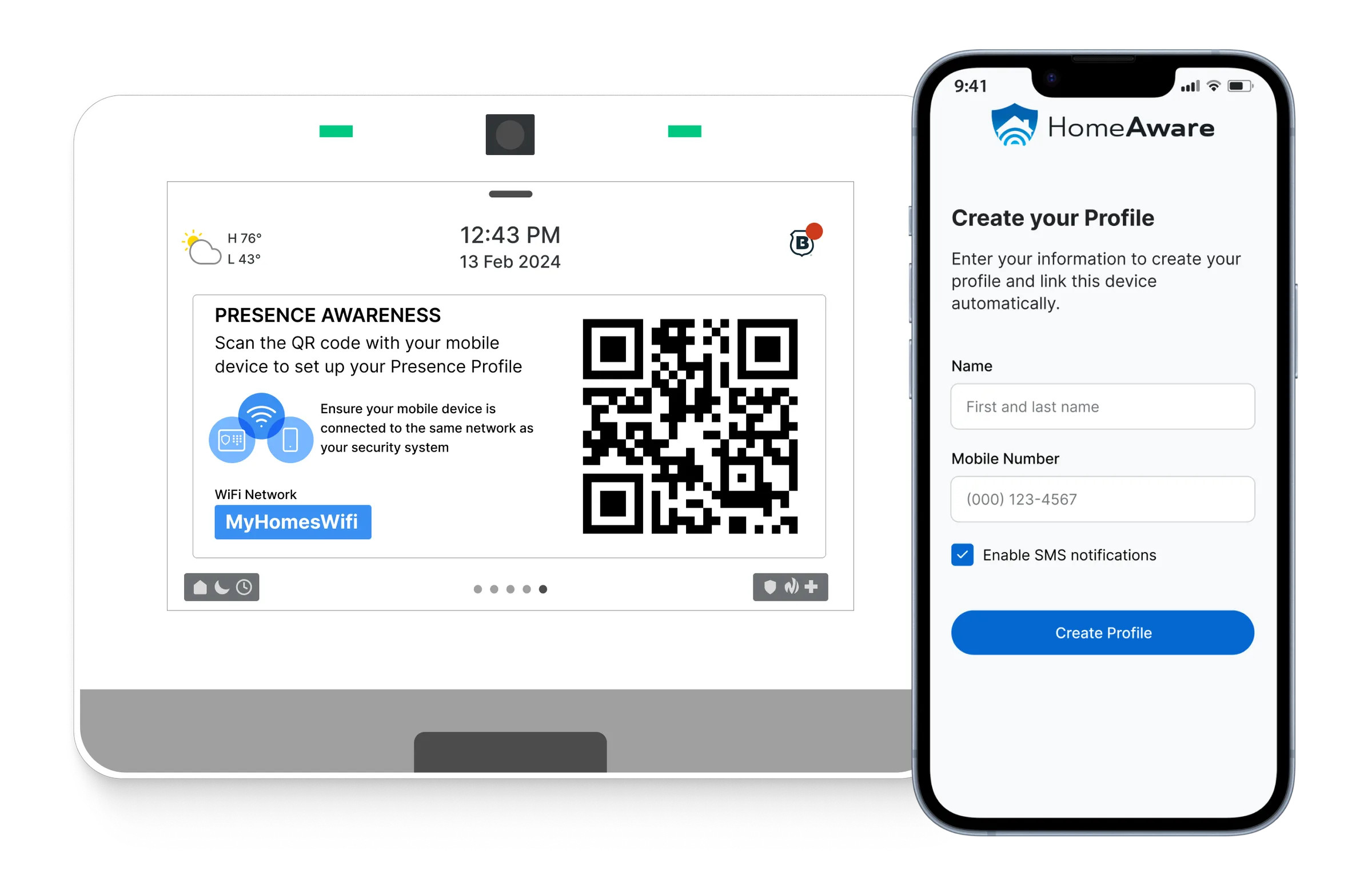
- We did have a QR code profile creation flow built into the mobile app to assist with device assignment. Since the panel had a screen, could we bring the right parts of that flow to the panel and have it work?
- How hard would that be and what trade-offs if any would we have to make?
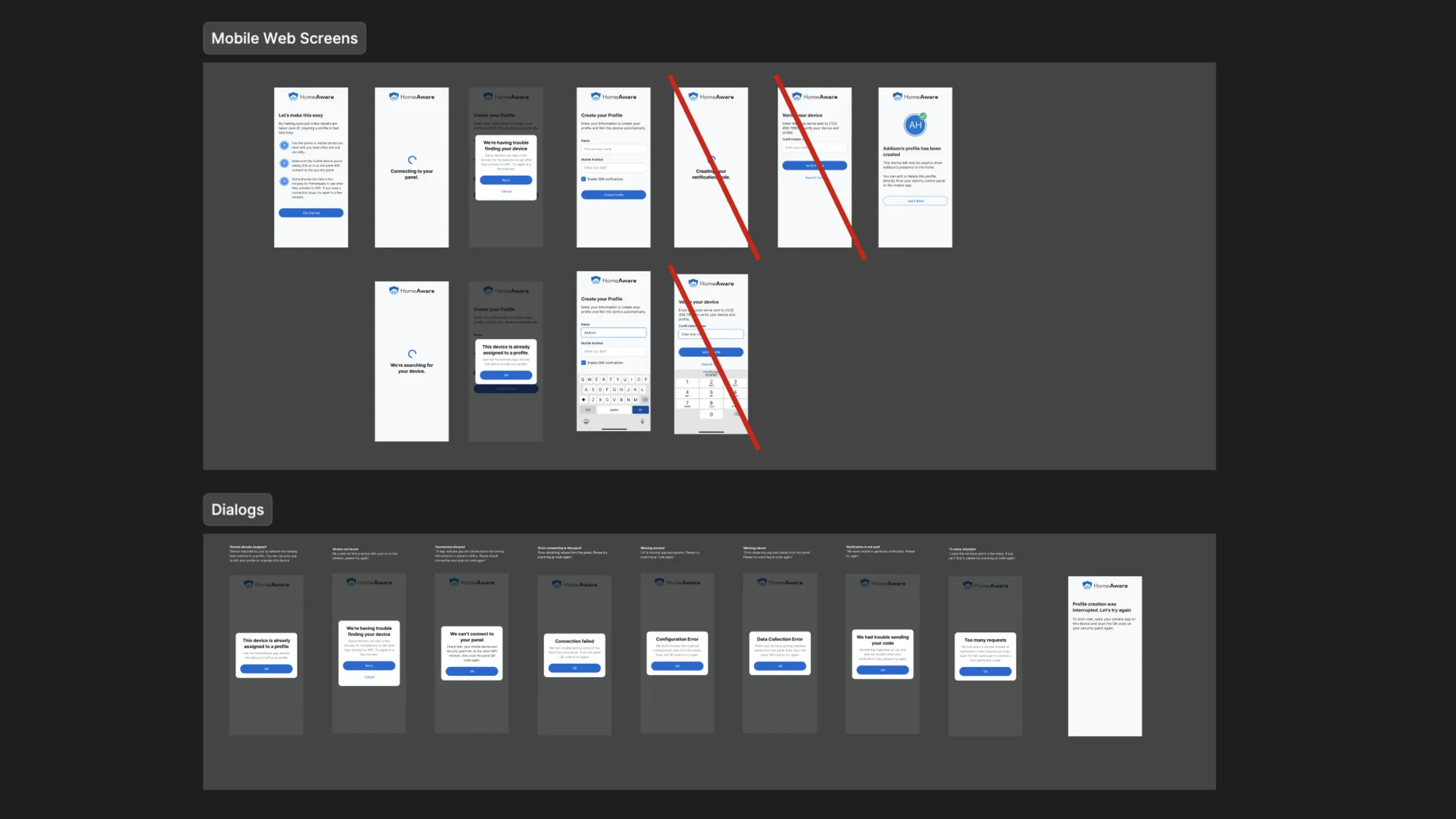
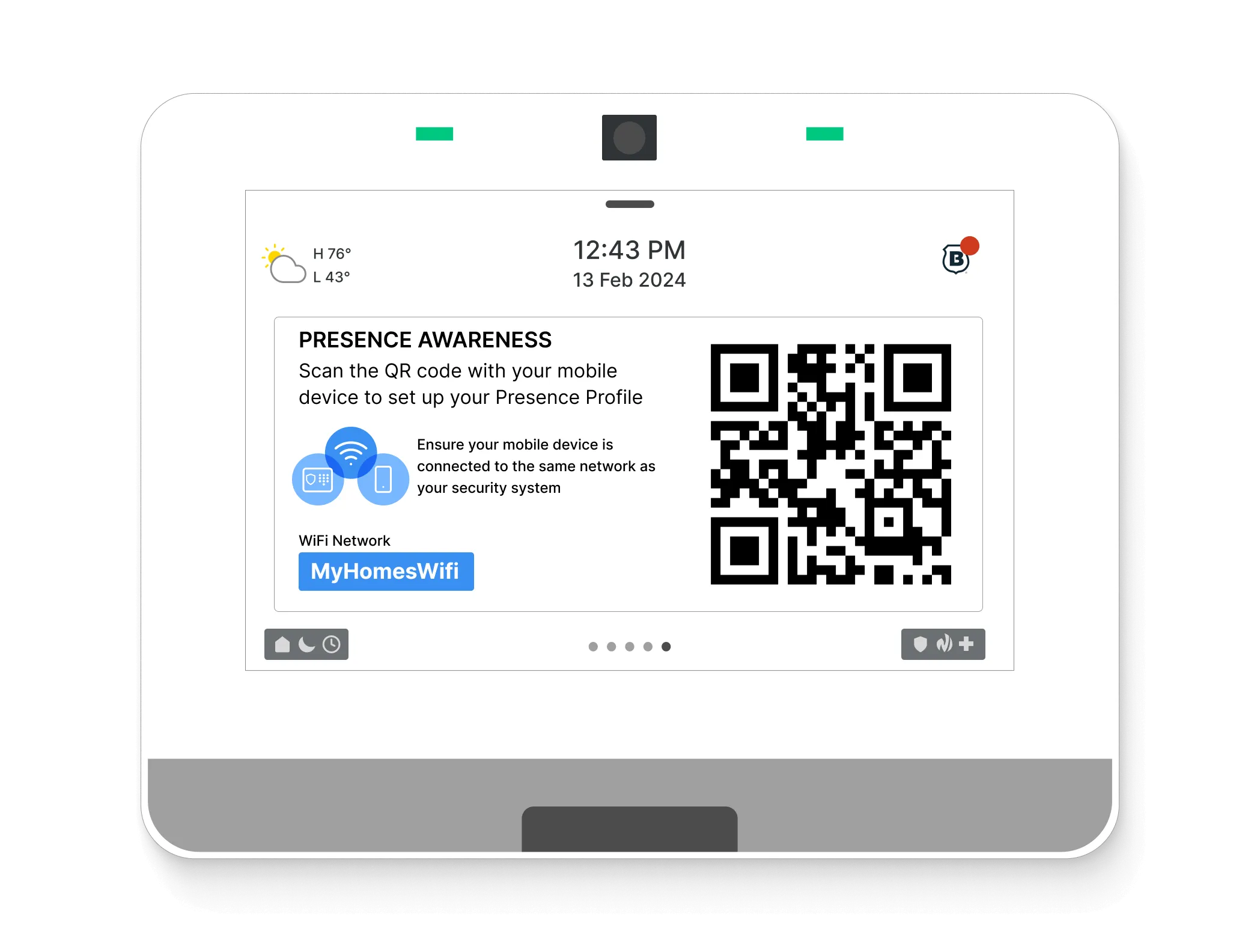
- For the flow to be successful, the device and the panel needed to be on the same wireless network. We also needed ways to inform users and recover if the phone had not yet joined the network.
The concept
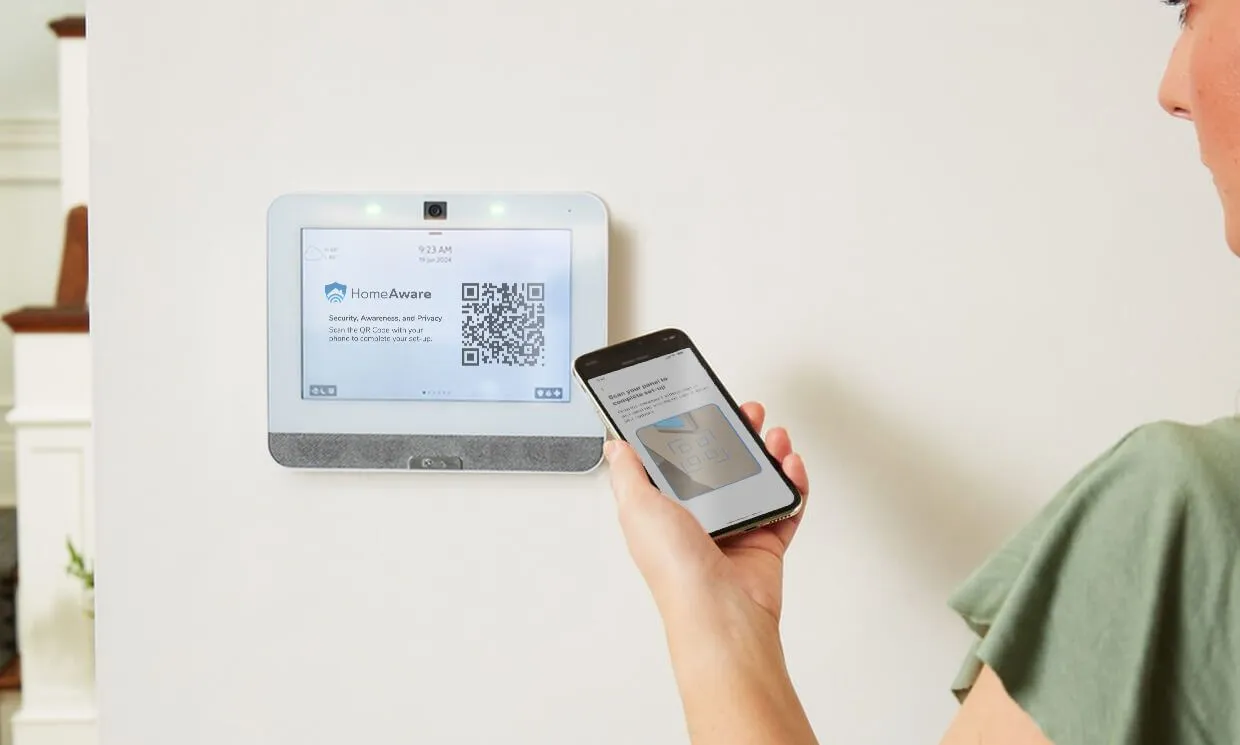
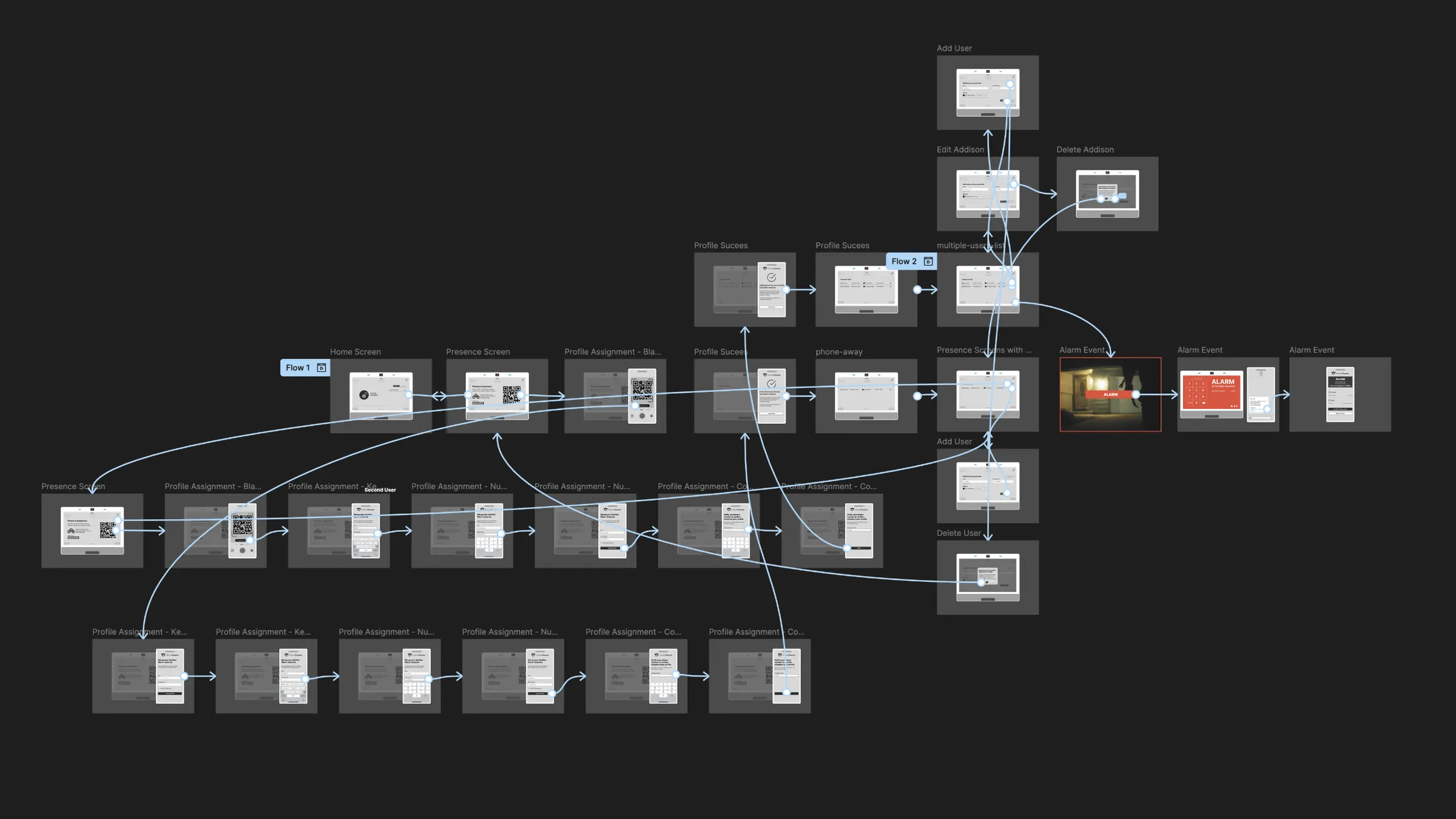
By leveraging the panel’s screen and a mobile web flow, each person was able to use their own device to quickly scan a QR code and create a presence profile. I used key parts of the existing mobile app to illustrate the initial concept, allowing us to reuse much of the technology already in place.
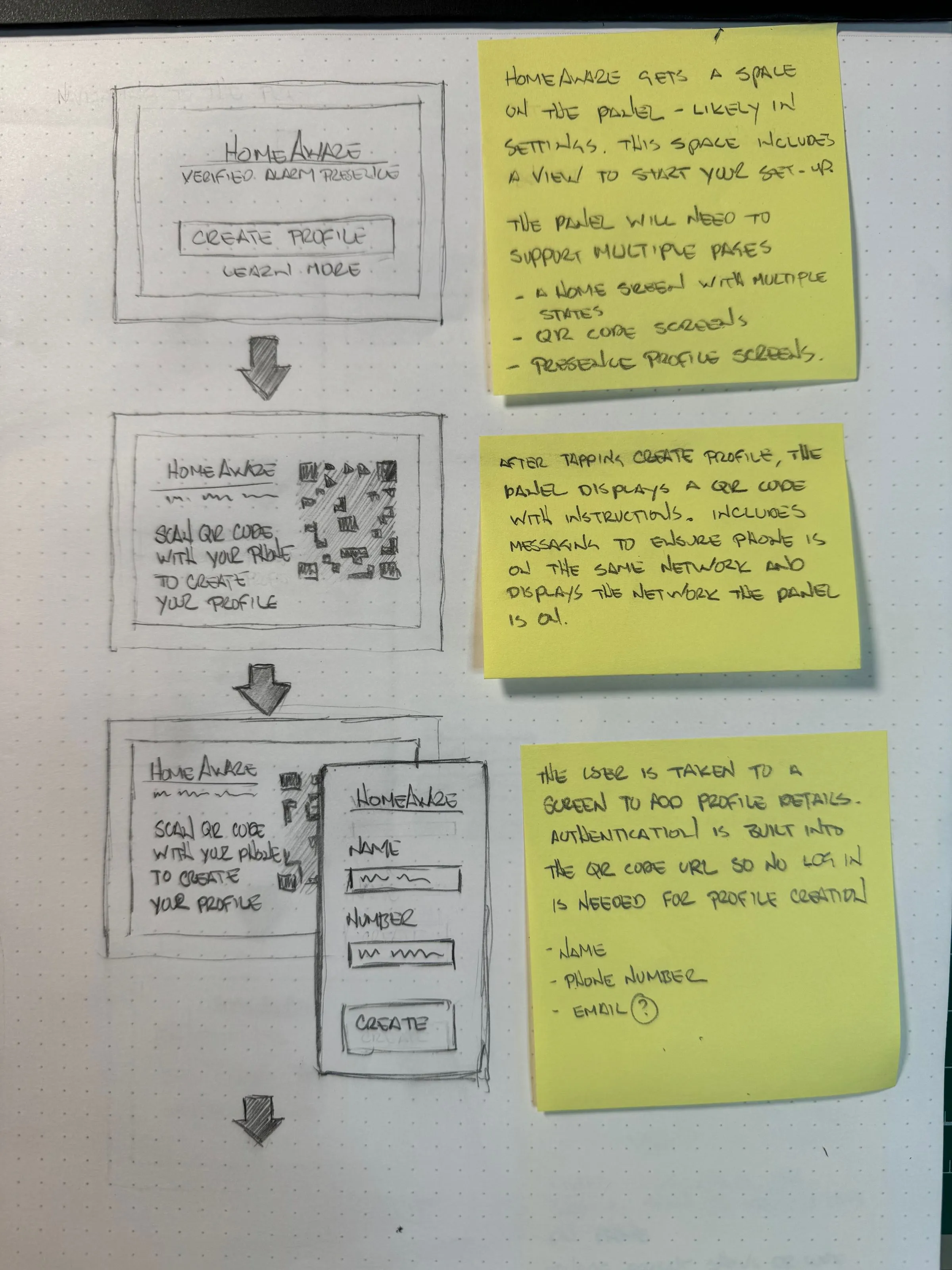
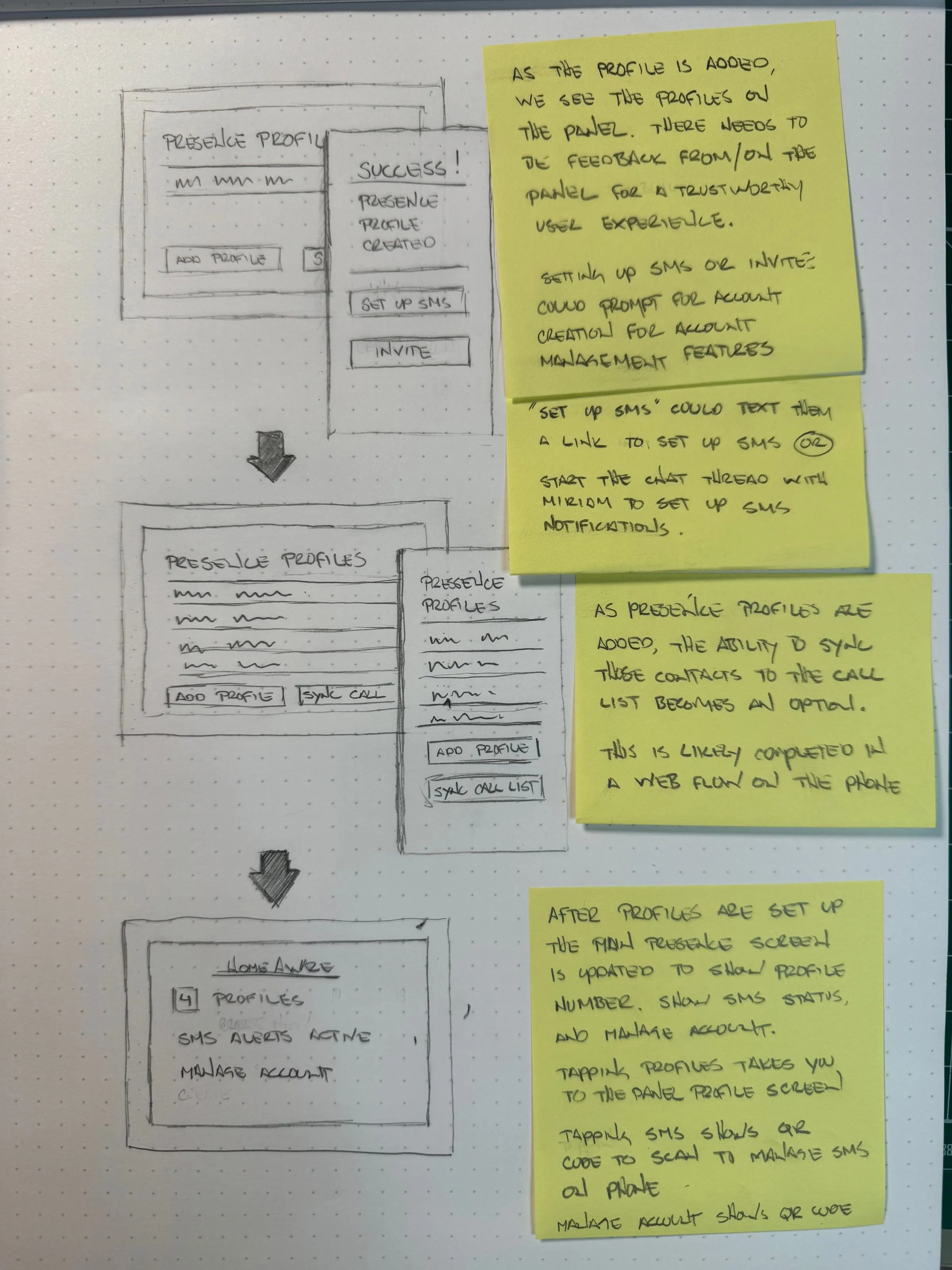
Wireframes and workflows
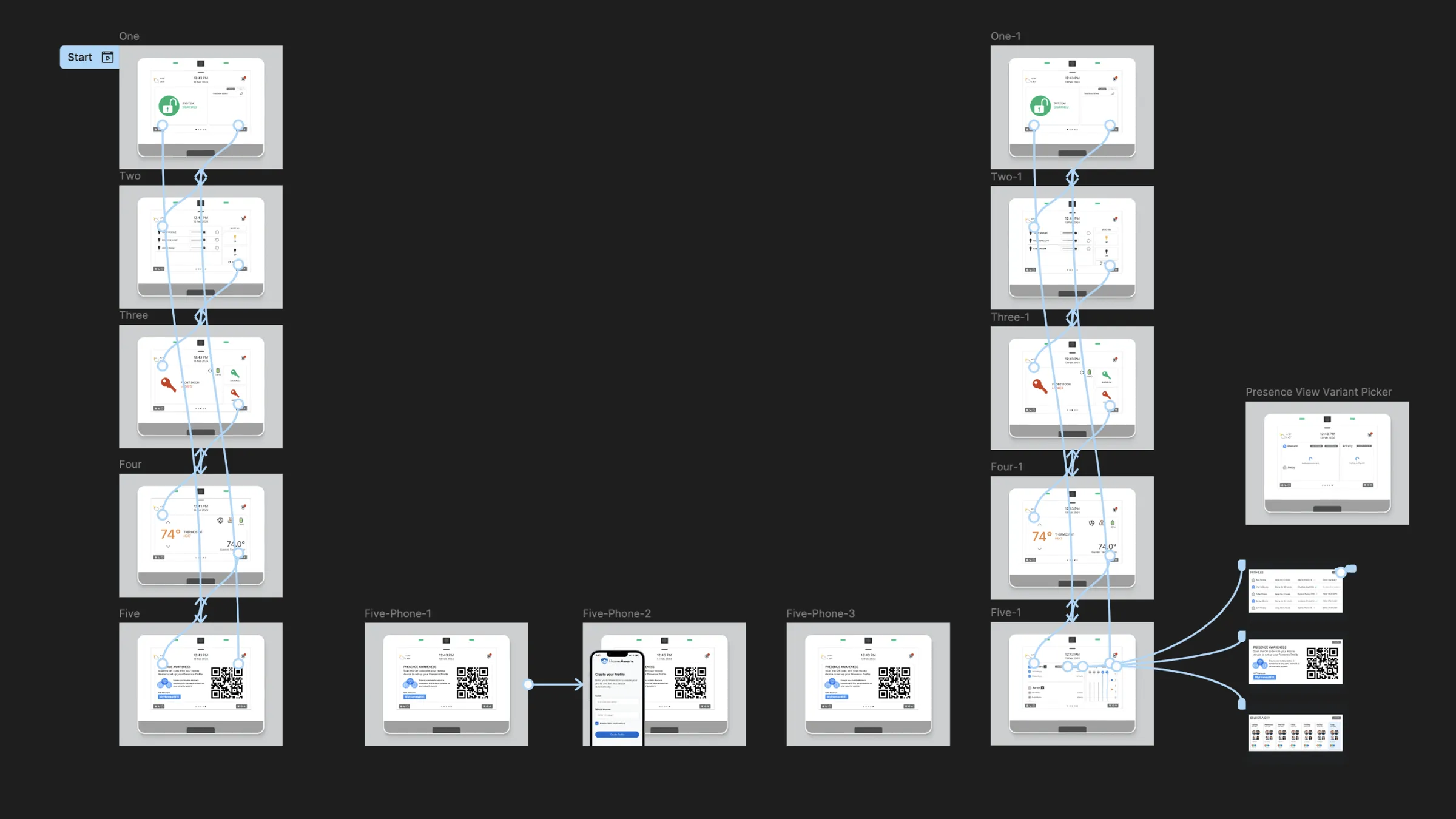
I collaborated with the development teams to assess available resources and capabilities. I then sketched out the first complete idea of the flow, which helped engineering understand and scope the required work.
Moving from hand-drawn sketches to low-fidelity screens and prototypes, I presented the solution to Ubiety’s panel manufacturer partner. These early walkthroughs and prototypes were well received by the manufacturer’s business, product, and engineering teams, helping to secure the partnership.
Production design and screens
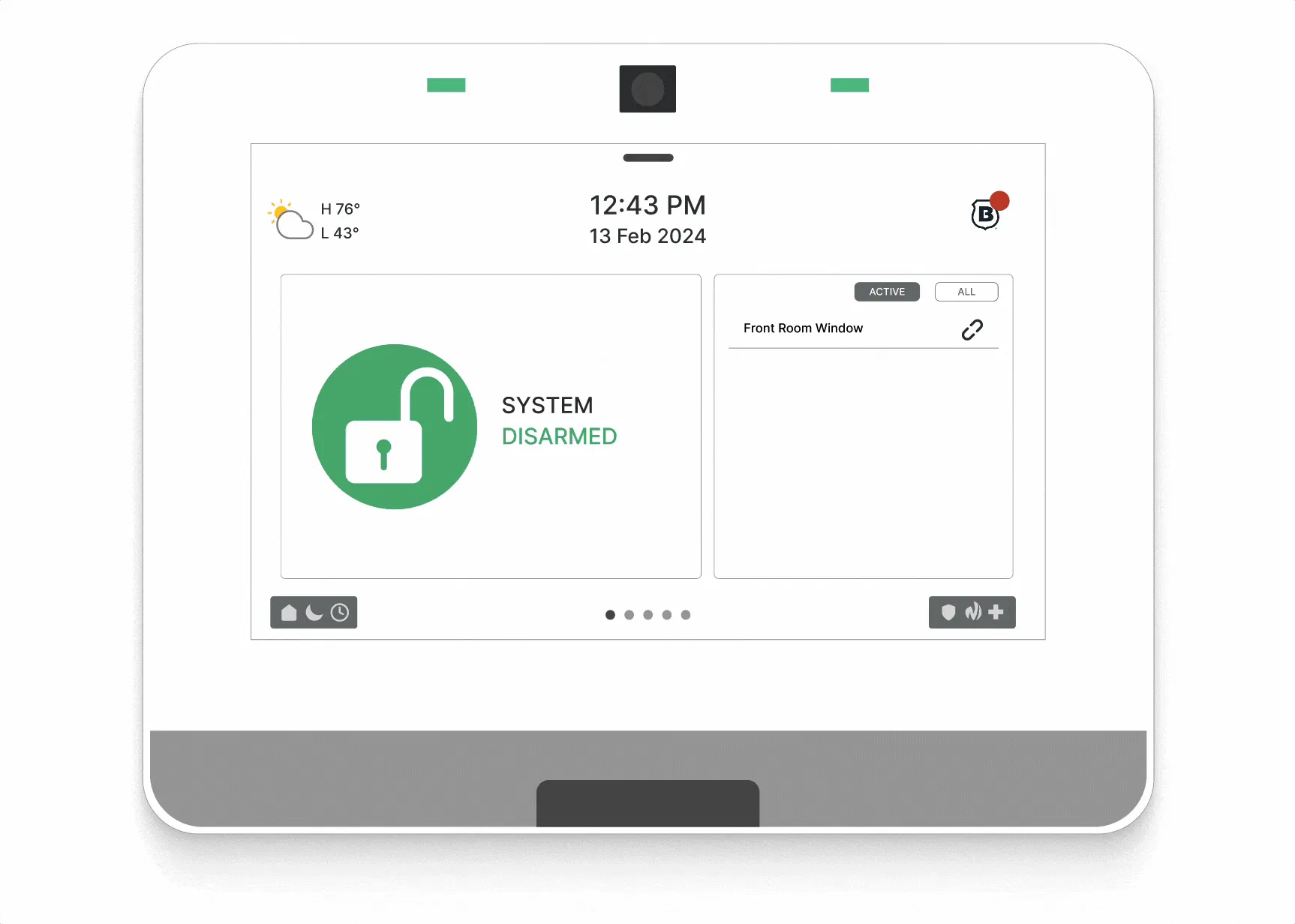
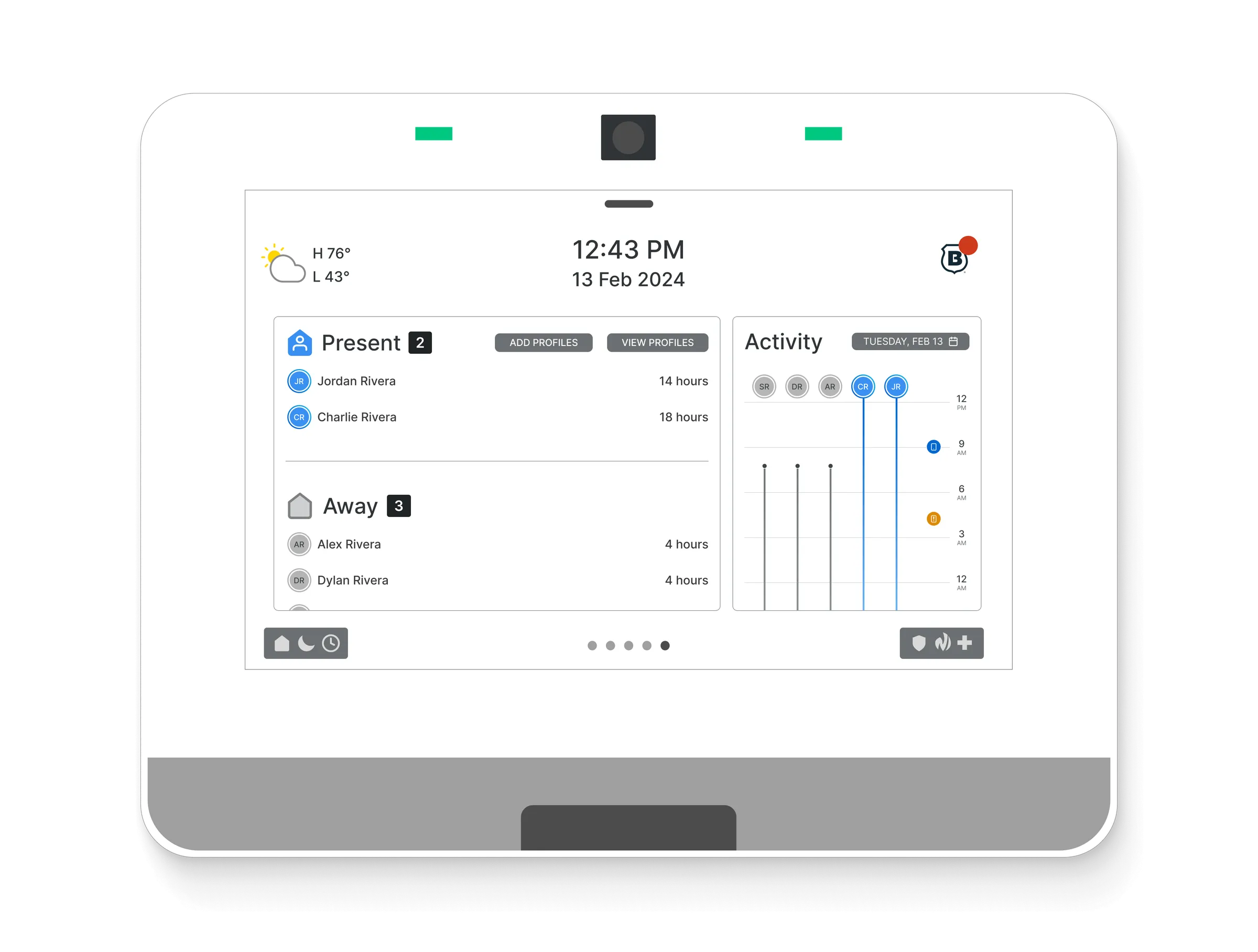
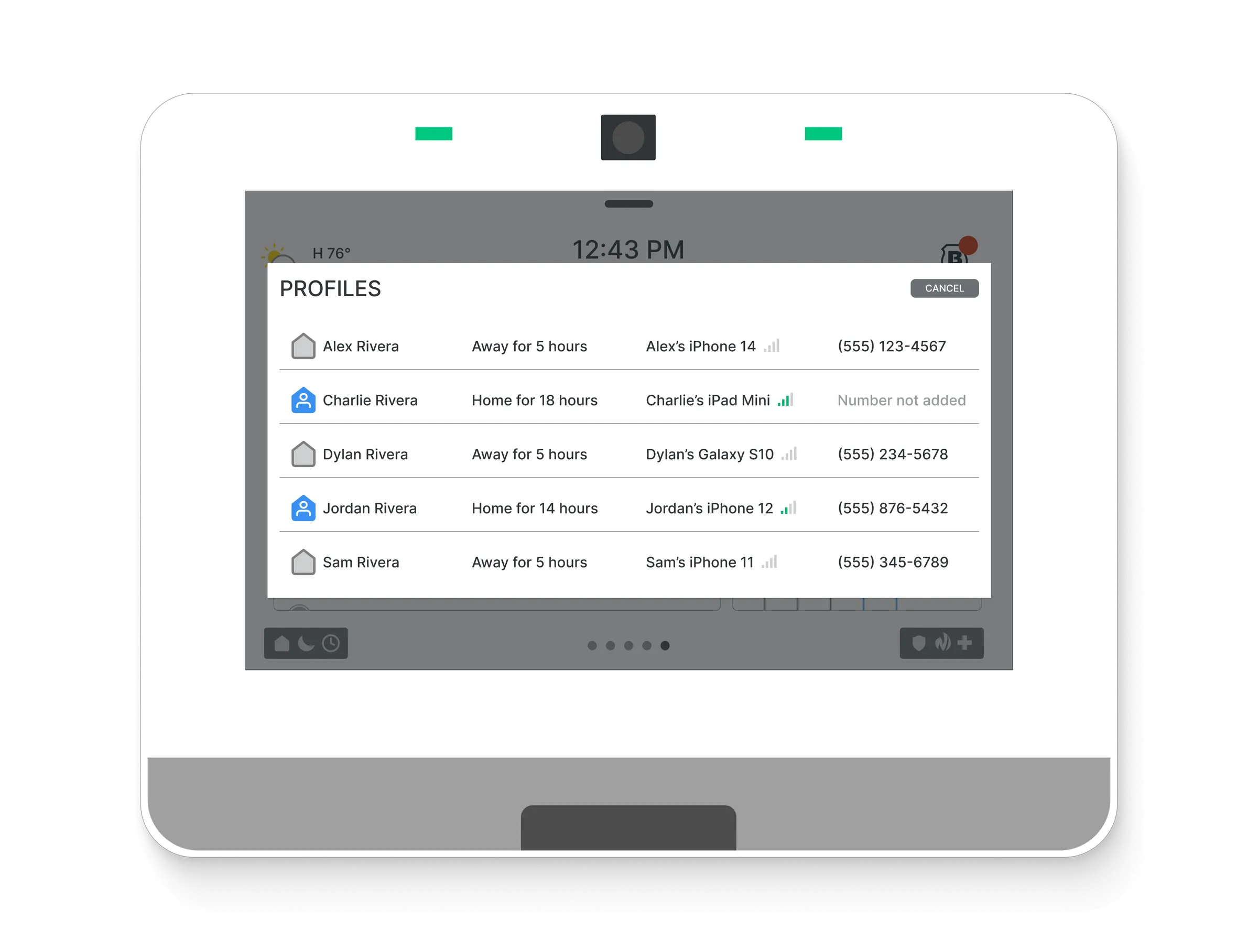
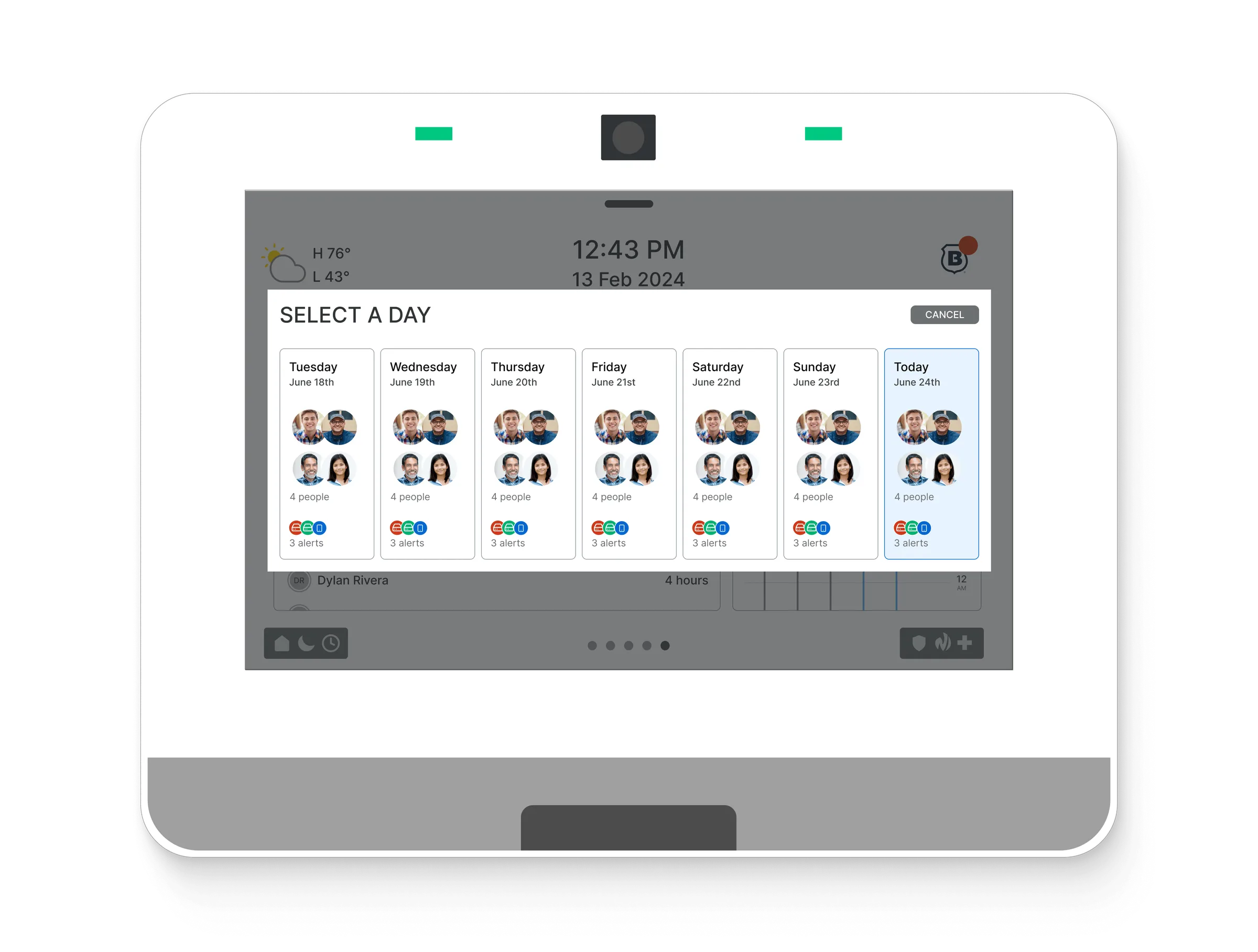
The solution I designed had to fit within the panel manufacturer’s existing visual design and interaction models, while also maintaining the visual style of HomeAware’s mobile application. Although the HomeAware mobile app was not required, customers could download and use it alongside the panel to access additional benefits.
The manufacturer’s system constraints meant that side-scrolling segments within main feature screens were not possible, as side scrolling was reserved for switching between primary panel features. As a result, the only way to achieve hierarchy for profile addition screens, profile detail screens, and date selection was through the panel’s system modals.
Outcomes
I designed a simple and effective onboarding process with profile creation that eliminated the need for a mobile app. This prevented potential business loss and addressed a critical risk.
The new flow was quick, easy, and less error-prone, as the technology itself was leveraged to handle more of the process. It was so successful at making profile creation more accurate and faster that we immediately began considering how to replicate the experience in the HomeAware app for customers who chose to download it.
- Created a complete flow for profile creation and presence detection without the need for an additional application.
- Profile creation errors were reduced, and onboarding time dropped from a 12 minute average to less than 2 minutes.
- The flow was so successful that we began incorporating these learnings into the HomeAware application.

Hindsight
I loved this work. The idea of enabling customers without requiring them to download an app was an exciting constraint. Design thrives on good constraints, even when they are uncomfortable at first. I appreciated that the solution ended up being easier than using the application in many cases. Seeing people’s reactions when they experienced the flow through a panel was incredible-it was one of those times when technology felt indistinguishable from magic.